
Is Calendly the Best Coaching Calendar Tool? Here’s What Coaches Need to Know
Calendly is a widely used scheduling tool among coaching professionals for its simplicity, affordability, and seamless calendar integrations. It helps coaches automate bookings, manage time zones, and reduce no-shows with smart reminders. With its free plan and compatibility with Google and Outlook, Calendly is an appealing option for solo coaches or small coaching teams looking to streamline appointment setting.
But while Calendly is effective for basic scheduling, does it truly meet the needs of growing coaching businesses? Let's explore this further.
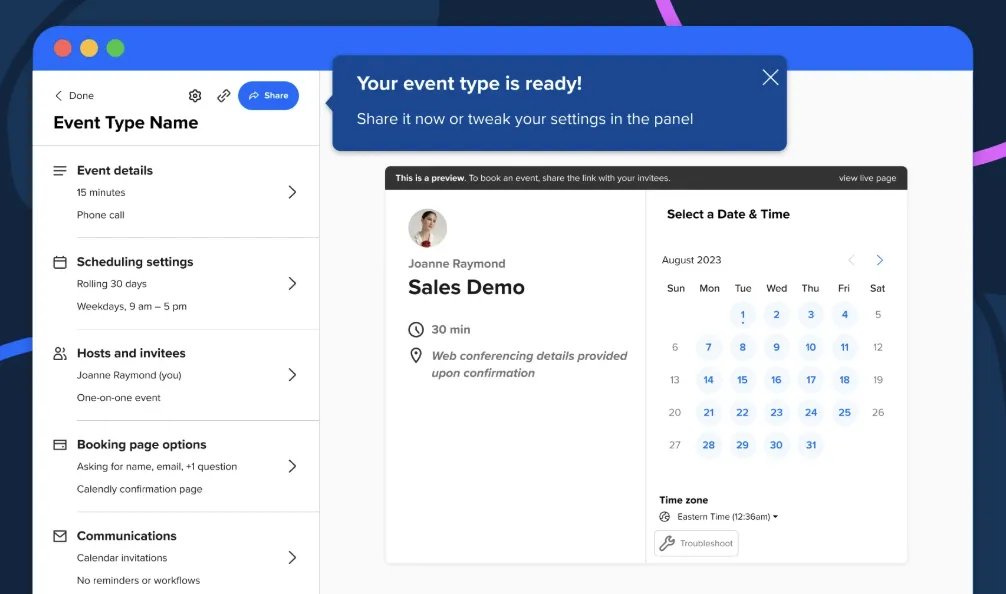
Is Calendly a Good Choice for Creating a Coaching Calendar?
Pros:
Calendly offers several benefits for coaching businesses:
- It's easy to get started: Calendly offers an intuitive interface that allows users to quickly set up their accounts and begin scheduling without a steep learning curve.
- Can be a low-cost solution: With a free plan available, Calendly provides a cost-effective option for individual coaches or small coaching businesses looking to minimize expenses.
- Lets you set the hours and times you're available for sessions: You can customize your availability to match your schedule and ensure you are only booked when it suits you.
- Flip between timezones: For those coaching clients in different time zones, Calendly automatically adjusts to make scheduling seamless.
- You can schedule multiple calendars: Especially useful for coaches who have associate or group coaching sessions, allowing for greater flexibility and organization.
- Ability to add invite prompts to collect data from the coachee: Easily gather essential information from your clients before sessions through customizable invite prompts.
Cons:
However, coaching businesses seeking to scale face significant challenges with Calendly:
- Lack of Program-Based Booking Management
Calendly is designed for general scheduling, not coaching-specific workflows. For instance, many coaching businesses offer packages or programs where clients are entitled to a fixed number of sessions. Calendly lacks the ability to:
- Restrict session bookings based on the program’s limits.
- Automate tracking of remaining sessions for clients.
- Provide a clear overview for coaches to manage program progress.
This forces coaching businesses to manually track usage, increasing administrative workload and risking errors.
- Fragmented Workflows
Calendly focuses exclusively on booking. It doesn’t integrate well with essential coaching workflows such as:
- Managing program progress: Calendly does not offer features to monitor the advancement of various coaching programs, making it difficult for coaches to track client progress and program milestones.
- Storing session notes or client data: There is no functionality within Calendly to securely store session notes or other essential client data, necessitating the use of separate applications for these purposes.
- Reporting on session completion and client outcomes: Calendly lacks the tools needed to generate comprehensive reports on session completion rates, client progress, and the overall effectiveness of coaching engagements.
This results in the need for additional tools, increasing complexity and cost. This fragmented approach requires the synchronization of multiple platforms for cohesive workflow management, often leading to administrative overhead and potential for human error.
Coaches may have to spend extra time and resources ensuring all these separate tools are up to date and compatible with one another, diverting focus from client interaction and business growth.
Additionally, this approach can create data silos, where critical information about client progress and session details are scattered across different platforms, making it difficult to obtain a unified view of client developments and program outcomes.
- Inadequate Reporting and Metrics
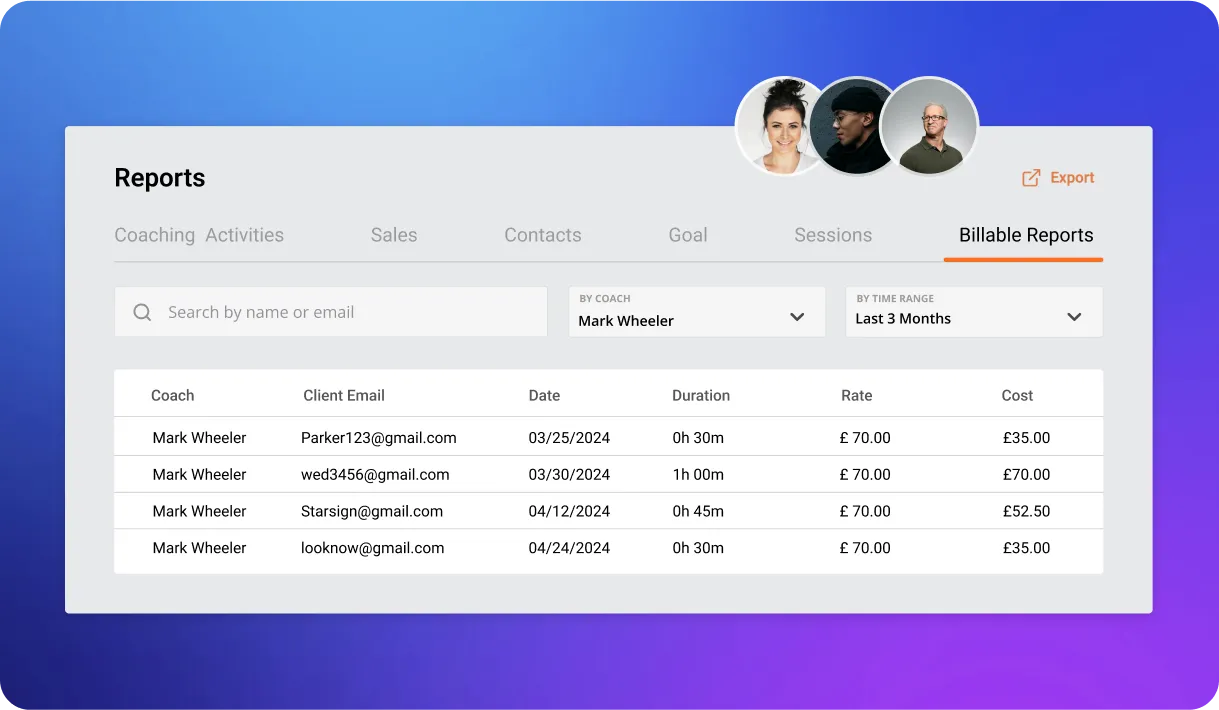
As your coaching business scales, tracking KPIs like completed sessions, session ratings, and program outcomes is critical for both operational insights and demonstrating ROI to clients.
Calendly lacks built-in reporting for such data, making it necessary for coaches to manually gather this information. This manual process can be time-consuming and prone to errors, reducing efficiency and potentially compromising the accuracy of performance metrics.
As a coaching business expands, the need for detailed analytics becomes more pronounced, encompassing advanced metrics such as client engagement levels, session success rates, and the impact of coaching interventions on client progress. Without these insights readily available, it becomes challenging for coaches to make informed decisions about their services, optimize their coaching strategies, or provide evidence of their program’s effectiveness to stakeholders.
To fill this gap, many coaches resort to integrating third-party analytics tools or spreadsheets, which can create cumbersome workflows and further fragment their operational ecosystem.
Delenta provides robust analytics, helping you measure coaching impact, track session usage, and manage progress essential for scaling and maintaining client satisfaction.
- Calendly’s Gaps in Delivering a Seamless Coachees Experience
For coaching businesses, delivering a seamless client and coach interaction goes beyond just scheduling sessions. Clients often need a centralized hub where they can:
- Manage Their Schedules: View and book upcoming sessions without confusion or overlaps. A streamlined booking process ensures that clients can effortlessly schedule their appointments, reducing the risk of missed sessions and improving retention.
- Access Resources: Easily retrieve session notes, materials, or program-related content. Whether it's worksheets, progress trackers, or follow-up content, having a central repository for these resources significantly enhances the coaching journey.
- Communicate with Coaches: Interact efficiently without relying on scattered email threads or multiple tools. An integrated messaging system within the client portal can facilitate real-time communication, allowing for quick clarifications and continuous support without the need for external communication platforms.
With Delenta, we go beyond basic scheduling to create a fully integrated client experience. Here’s how:
- Centralized Client Portal: Clients gain access to a branded portal where they can view their schedules, session notes, and program materials all in one place.
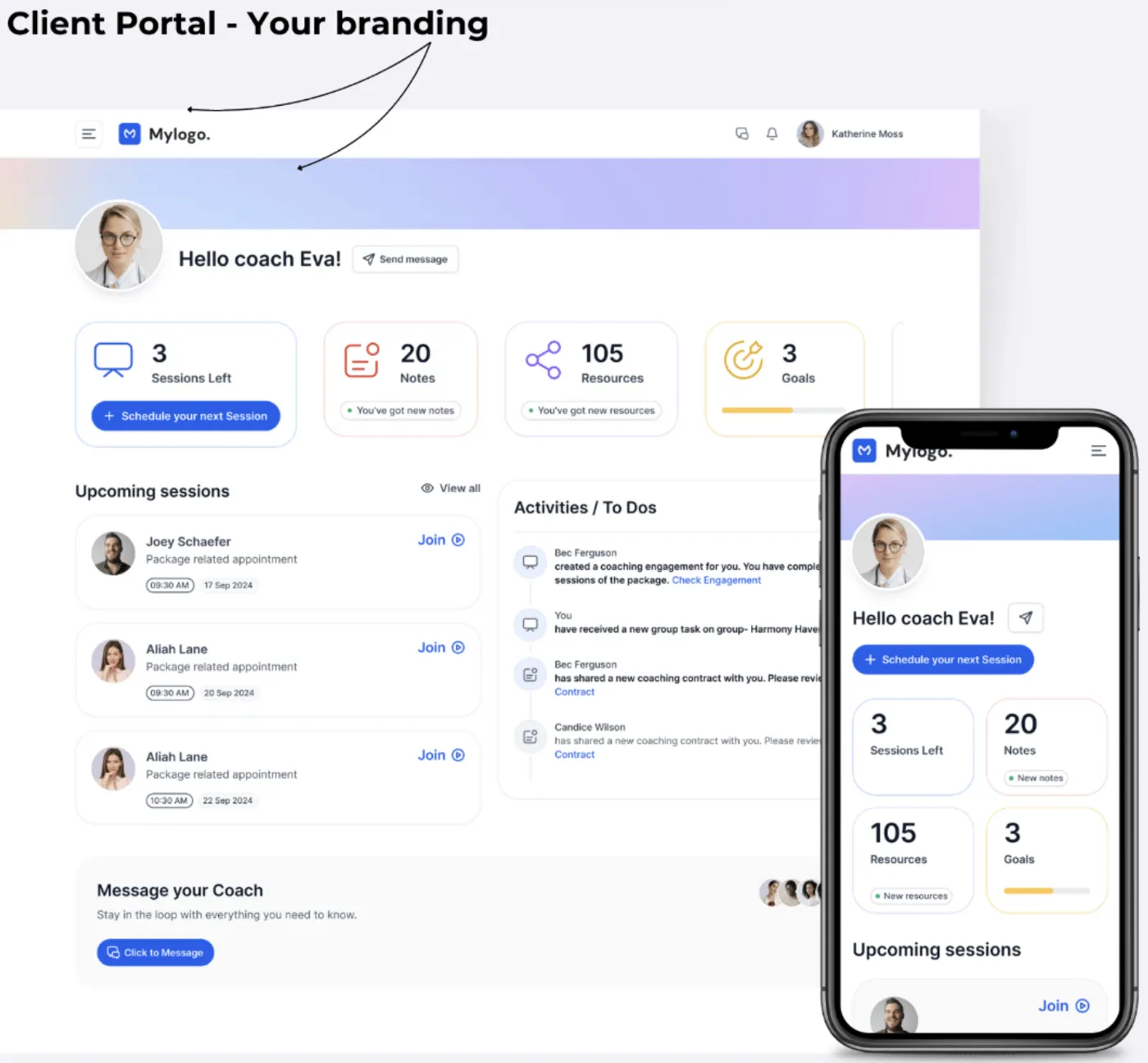
- Customizable Coaching Programs: Define unlimited coaching programs or packages with varying session durations (e.g., 55 minutes, 45 minutes). Clients can easily see the sessions they’re entitled to and book them directly through the portal.
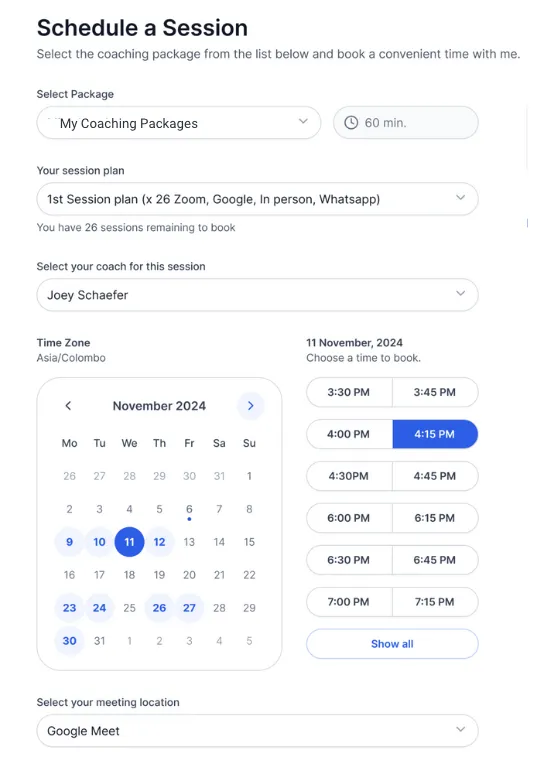
- Program-Specific Access: Clients can only utilize the sessions included in their program, ensuring clarity and accountability for both clients and coaches.
By integrating these features, Delenta eliminates the need for multiple tools, simplifies the client journey, and enhances the overall coaching experience.
As your coaching business grows, the demand for a robust scheduling tool that integrates all aspects of your operation becomes apparent. A tool that can handle multiple calendars, integrate seamlessly with email and resource sharing, and support comprehensive client management is essential. Calendly might suffice for a start, but upgrading to a solution like Delenta can save time, reduce errors, and improve client satisfaction.
How to Set Up a Coaching Calendar with Calendly (Step-by-Step)
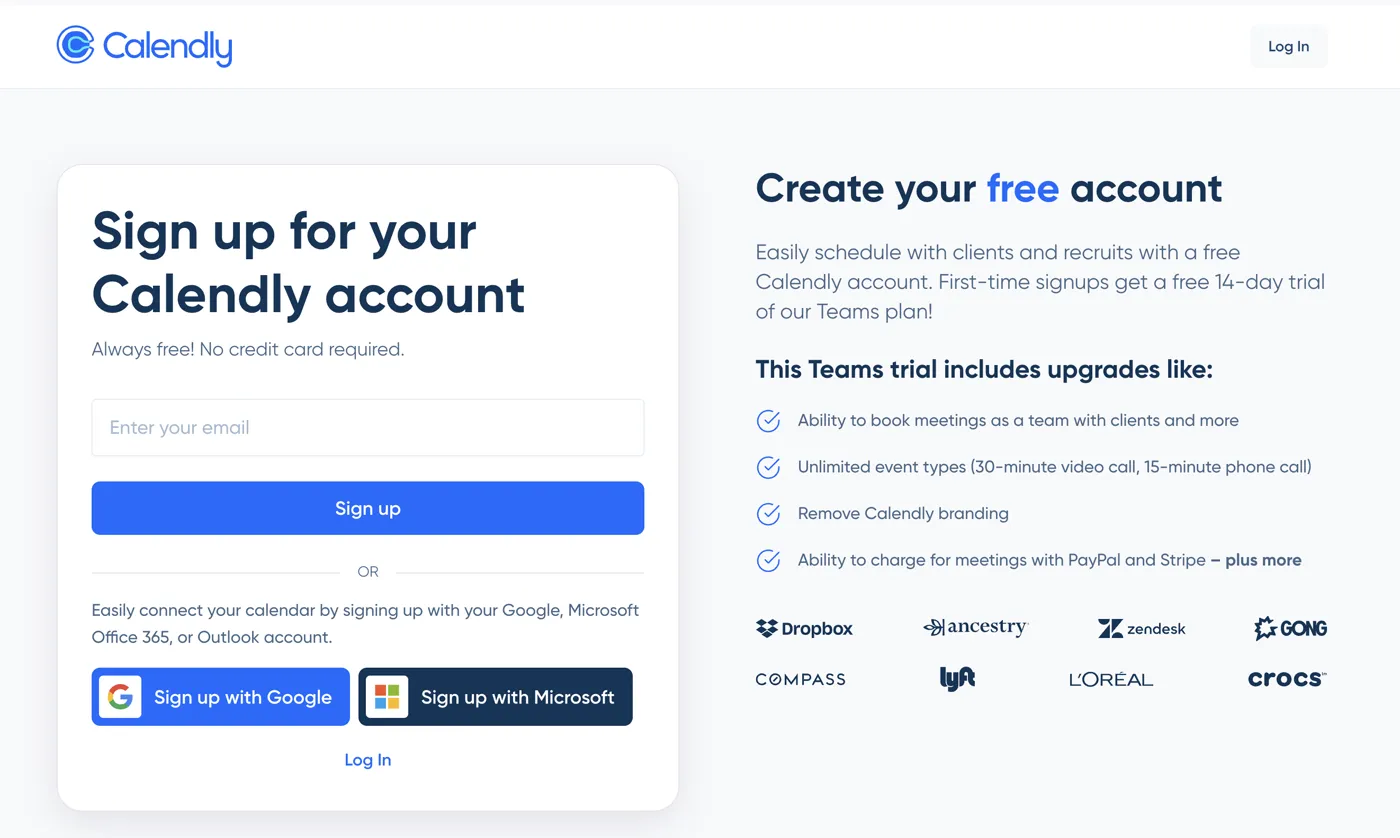
1. Set Up a Calendly Account
Begin by visiting the Calendly website and signing up for an account. The process is straightforward—simply provide your name, email, and create a password. Calendly offers a free plan, but you might want to explore their premium options if your needs are more extensive.
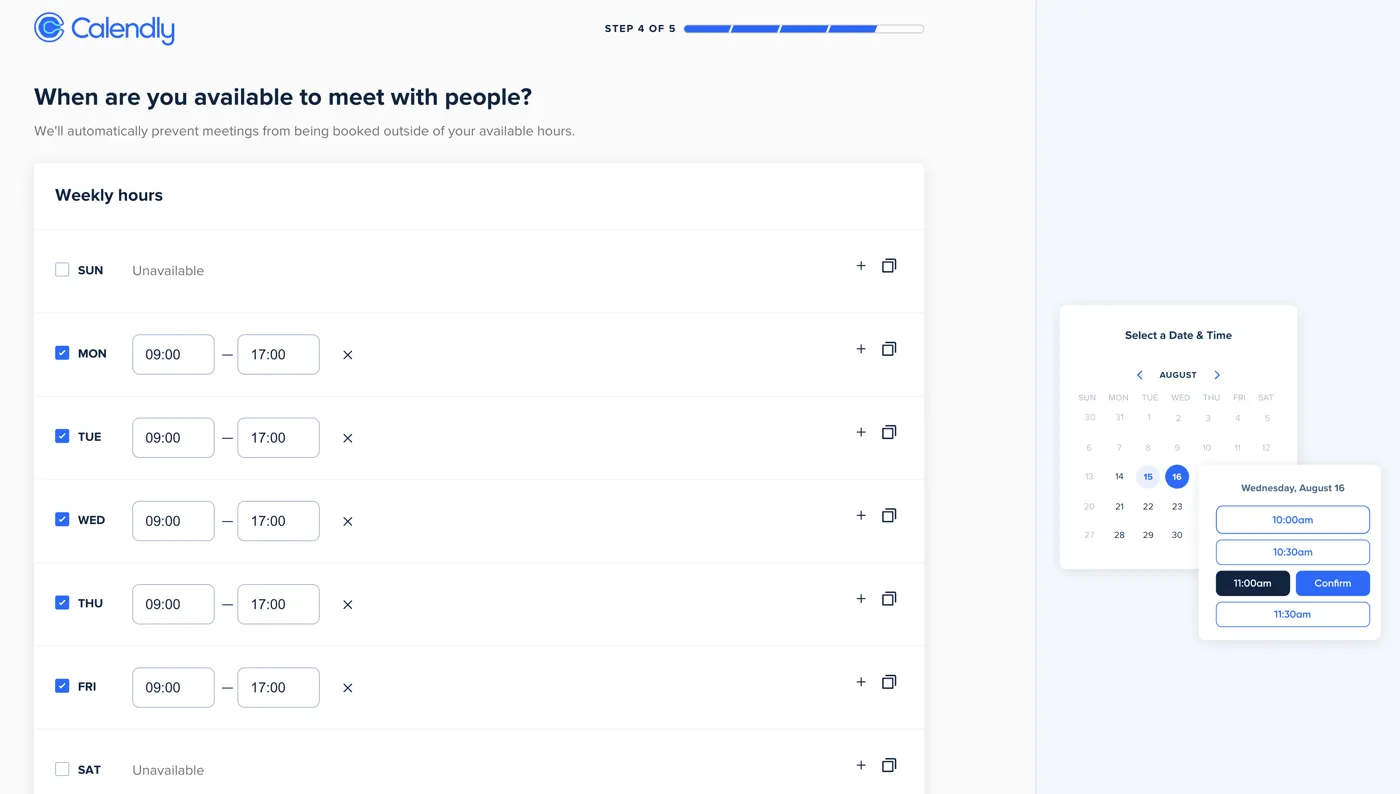
2. Select the Times and Dates You're Available
Once your account is set up, navigate to the "Availability" section. Here, you can specify the days and times you are available for coaching sessions. Calendly allows you to set up different availability schedules for different days, ensuring that your calendar reflects your true availability.
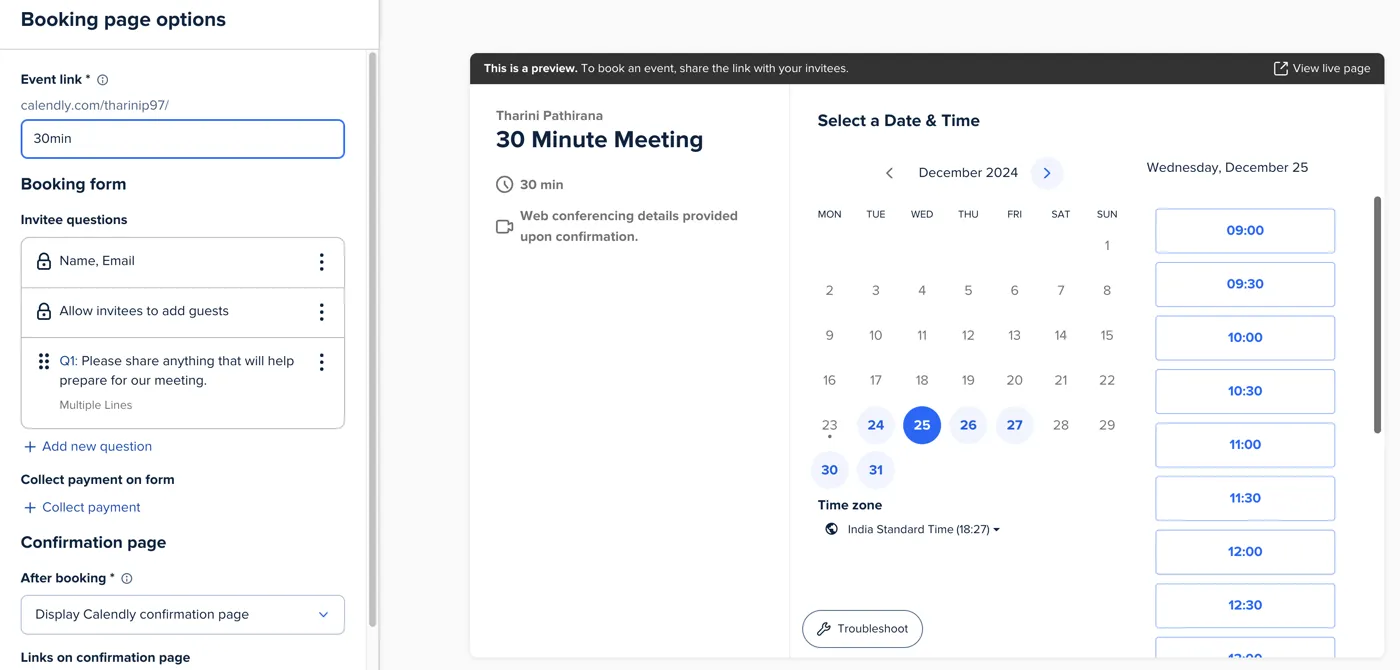
3. Customize the User Journey
To provide a personalized scheduling process, customize your event types and invitation prompts. You can ask clients to provide specific information, such as their goals for the session or any topics they wish to discuss. This not only helps you prepare for the session but also enhances the client’s overall scheduling journey.
Want More Than Just Scheduling for your coaching?
While Calendly is an excellent starting point for managing appointments, it only scratches the surface of what a comprehensive coaching tool can do. For those looking to scale their coaching business and integrate scheduling with client management, resource sharing, and communication with an all in one platform, upgrade to Delenta, the Coaching Management Software designed to run your entire practice efficiently.