Running a coaching practice can start simply. A calendar. A video-call link. A spreadsheet. A few email templates. Maybe an invoicing tool.
Then the client list grows.
Suddenly, you're copying appointments between calendars, sending reminders, chasing forms, looking for session notes, checking whether someone has paid, updating spreadsheets and trying to remember who needs a follow-up.
None of these tasks are particularly difficult. But together, they can take attention away from the work that matters: coaching your clients and growing your practice.
That is where automation can help.
But automation does not mean turning your coaching business into a collection of bots and workflows. In a relationship-based profession like coaching, some things should become easier through technology while others should remain deliberately human.
The goal is not to automate everything. The goal is to automate the repeatable work around the coaching relationship so you have more time and attention for the relationship itself.
When people talk about a “tech stack”, it can sound more technical than it really is. Your coaching tech stack is simply the collection of tools you use to run your practice.
For a solo coach, that might include scheduling, client management, video sessions, payments, forms, documents, email, notes and automation.
The problem is not necessarily having several tools. The problem starts when you become the integration between all of them.
For example: a client books a session, you check your calendar, update a spreadsheet, send an email, check payment, find their previous notes, send a form and remember to follow up later.
Every individual step is manageable. But if you have to remember and coordinate every step manually, your technology is not really reducing your workload.
Scheduling is one of the easiest places to start.
If clients have to email you every time they want to book, you are spending time coordinating something that follows a predictable process.
A better system can allow clients to see your availability, choose a suitable time, book the session, receive confirmation and reminders, and reschedule when appropriate.
This removes unnecessary back-and-forth while keeping the actual coaching relationship completely human.
Delenta provides coaching scheduling with calendar synchronisation, client self-booking and automated notifications and reminders.
The scheduling process can be automated. Your flexibility and judgement do not have to be.
If a long-term client needs an unusual time, or something important has happened in their life, you can still make a personal decision rather than forcing every situation through an automated workflow.
Think about everything that happens between “I'd like to work with you” and “We're ready for our first coaching session.”
There may be an agreement, intake questions, payment, scheduling, welcome information, preparation materials, forms and reminders.
If you manually manage every one of those steps, every new client creates another administrative checklist.
A better approach is to create a repeatable onboarding journey.
Client purchases a coaching package → receives onboarding information → completes intake form → signs agreement → books first session → receives confirmation.
The exact workflow will depend on your practice, but the principle is the same.
Your welcome message can be automated. Your response to a client's personal reason for seeking coaching should not feel automated.
The best automation is often invisible to the client. It simply makes the experience easier and more professional.
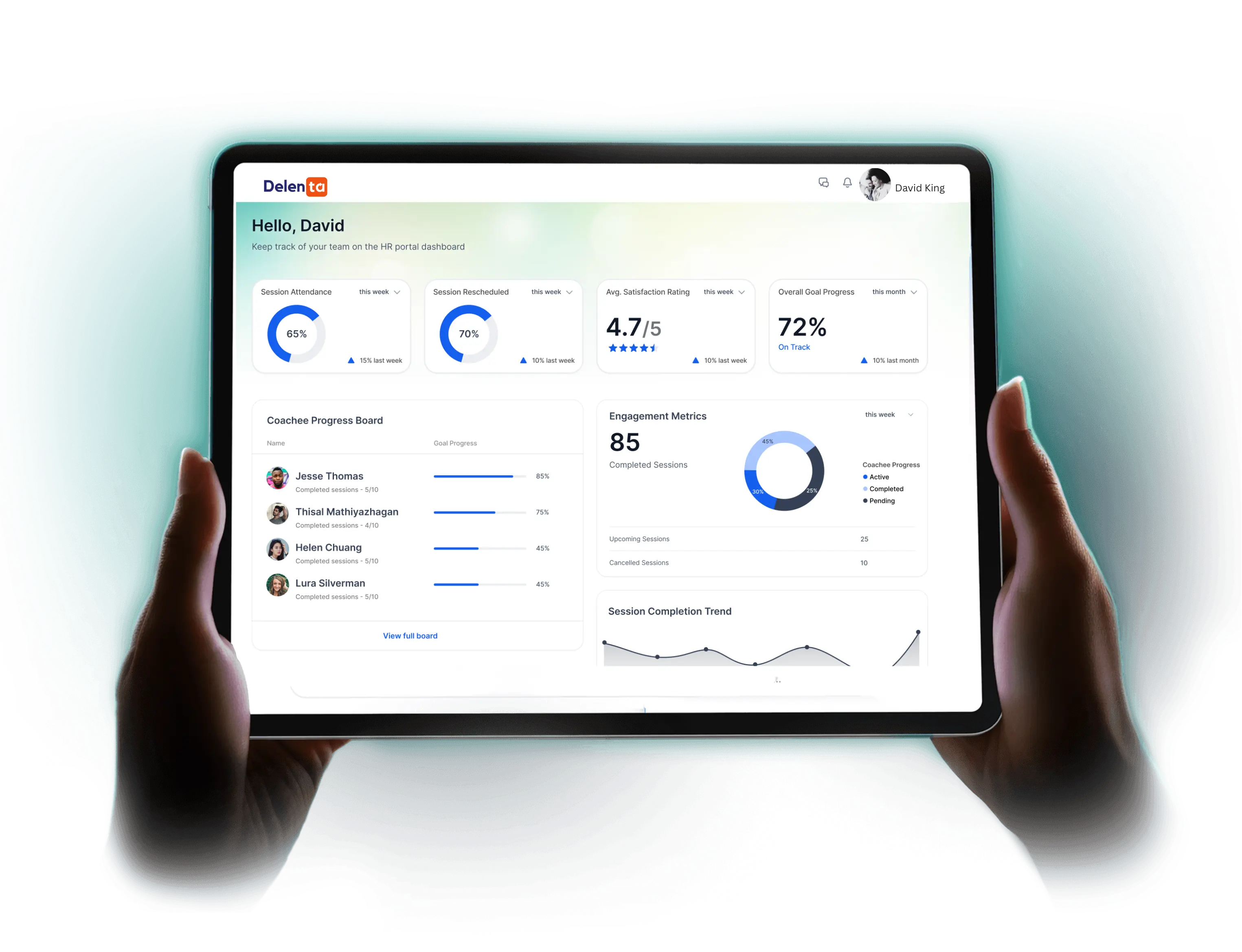
Forms are another area where coaches can easily lose time.
You might repeatedly ask clients for contact information, coaching goals, background information, preferences, programme-specific information, feedback or progress updates.
Rather than sending a new document or email every time, use structured forms where appropriate.
The advantage is not just saving time. It also gives you a consistent way to collect information and reduces the chance that important details get lost in email threads.
Delenta includes forms and intake forms as part of its coaching platform, allowing information to become part of the wider client workflow rather than sitting separately in another application.
Few things make a coaching business feel more administrative than manually tracking who has paid.
If your process looks something like send invoice → wait → check account → update spreadsheet → send reminder → update records, there is probably room for automation.
Depending on how you sell your services, technology can help with payment collection, recurring billing, packages, invoices, reminders and payment tracking.
The objective isn't to make payment impersonal. It is to make the financial administration predictable.
Delenta supports integrated payments and billing alongside session tracking and payment tracking.
Not every client reminder needs to come directly from you.
For example:
These are predictable communications.
Automating them does not make your coaching less personal. It can create a better experience because clients receive the information when they need it rather than waiting for you to remember to send it.
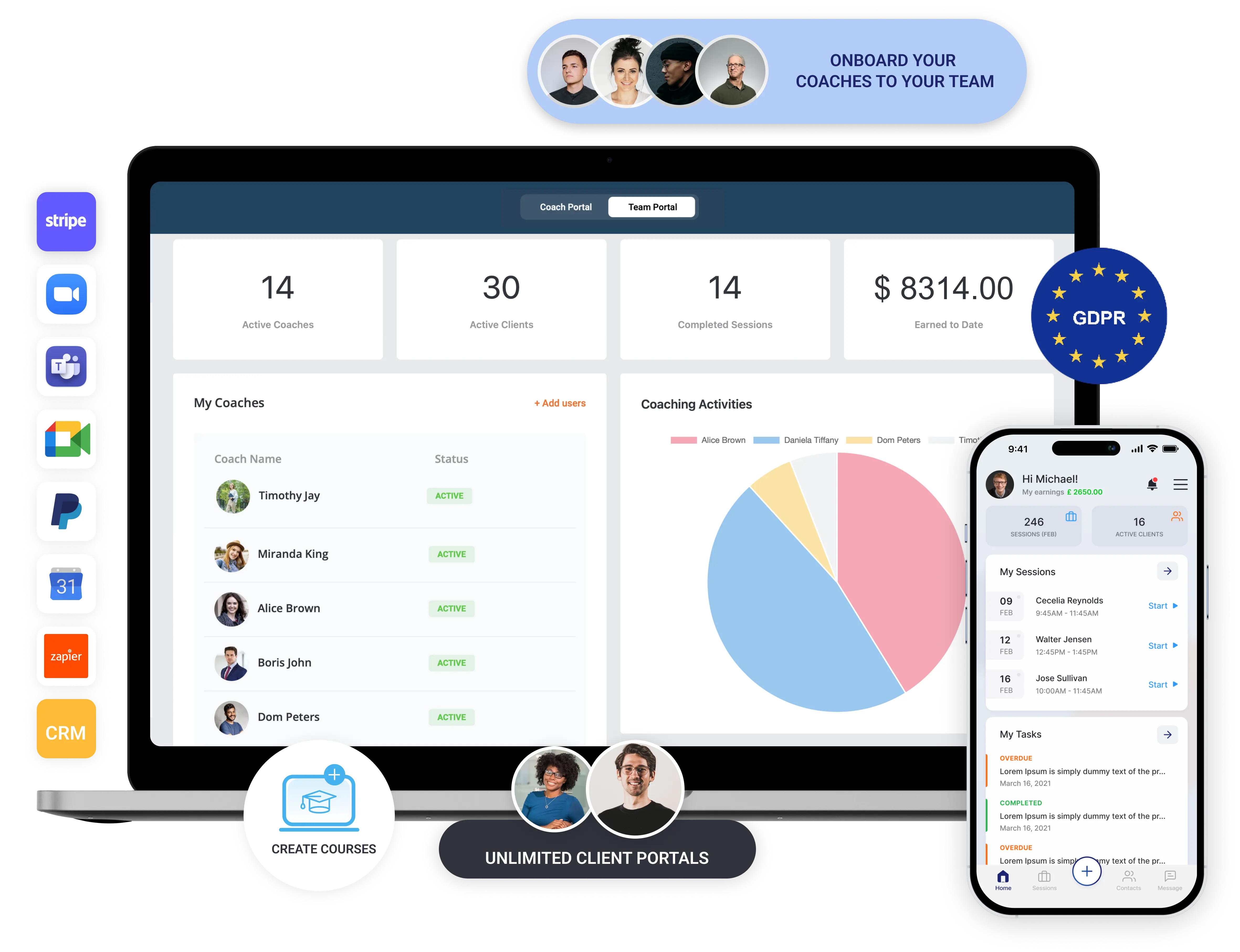
Imagine preparing for a session and having to search through email, cloud storage, WhatsApp, your calendar, a spreadsheet and a notes app.
You may eventually find everything. But you're spending mental energy finding context instead of preparing for the client.
A coaching-specific client management system can bring important information together, including client details, session history, notes, goals, tasks, documents, payments and progress.
Delenta's client management tools include client records, session tracking, notes, tasks and goals, while its client portal gives clients access to relevant parts of their coaching journey.
Good technology should reduce the amount of remembering you have to do.
Progress tracking can benefit from structure.
You might track goals, actions, milestones, completed tasks, session history, feedback and coaching hours.
Technology can make this information easier to see over time.
But there is a difference between tracking progress and deciding what progress means.
A dashboard might show that a client completed five tasks. Only you can properly understand what those five tasks mean in the context of that client's goals, circumstances and coaching relationship.
So automate the record keeping. Keep the interpretation human.

AI deserves a slightly different category.
The question shouldn't be “What parts of coaching can AI replace?” A better question is “What administrative work around coaching can AI help reduce?”
One example is session note-taking. Instead of trying to write everything down while staying fully engaged in a conversation, an AI note-taking system can help produce a draft that the coach reviews.
Delenta's AI NoteTaker is designed to support this type of workflow by generating session notes that the coach can review.
This is an important distinction: AI can assist the coach without becoming the coach.
The coach remains responsible for reviewing the output and deciding what is accurate, useful and appropriate.
Whenever technology processes coaching conversations or client information, privacy, confidentiality and informed consent deserve careful consideration.
There is a temptation to automate anything that happens more than once. Don't.
A generic automated message can confirm a booking. It should not replace a thoughtful response when a client shares something important.
Software can organise information. It should not make important coaching decisions on your behalf without appropriate human oversight.
A client who has had a difficult week doesn't need another workflow. They need their coach.
Some follow-ups are reminders. Others are relationship moments. Learn the difference.
More data is not automatically better. Ask whether the information is genuinely necessary, how it will be used, where it will be stored and who can access it.
If you're unsure where to begin, use this simple framework.
Examples include booking confirmations and reminders, payment and invoice workflows, new-client onboarding and routine follow-ups.
The percentages don't need to be literal. The point is to separate process efficiency from human value.
Not necessarily.
Many coaches start adding tools one by one: a scheduling tool, a form tool, a CRM, an invoicing tool, a note-taking tool, a course platform and an automation platform.
Now they have automation — but also several systems to maintain.
The better question is: Which tools should I keep, and which processes would be easier if they lived together?
For a very early-stage coach with only a few clients, a simple collection of tools may be perfectly reasonable. As the practice grows, consolidation can become more valuable.
There is no magic client number at which you need a coaching platform. Instead, look for operational signals.
At that point, the question isn't really “Do I need more software?” It is: “Can my current system support the way my coaching business now operates?”
You don't need to implement every possible automation on day one. Start with the tasks that happen frequently and create the most friction.
Your technology should change as your practice changes.
A new coach might prioritise booking, payments and basic client records. A growing solo practice might add a client portal, forms, goals and automated workflows. A coach offering group programmes might need group coaching and course management. A coaching organisation may eventually need multi-coach management, reporting and team visibility.
The mistake is trying to build the most sophisticated stack before you need it.
Instead, build around your actual client journey.
For coaches who want to bring more of these processes together, Delenta provides an all-in-one coaching management platform covering areas such as client management, scheduling, payments, notes, goals, tasks, forms, contracts, client portals, courses and reporting.
For solo coaches, that can mean fewer disconnected systems to maintain. You can manage scheduling, client information, notes, tasks and goals from the same environment, while clients can use a dedicated portal to access relevant parts of their coaching journey.
As your practice grows, Delenta also supports multi-coach operations and group coaching.
Let technology handle the administration. Keep the coaching human.
The best coaching tech stack isn't the one with the most tools. It's the one that quietly takes care of the work that doesn't need your full attention.
Start with scheduling, onboarding, forms, payments, reminders, organisation and progress tracking. Then look carefully at where AI can responsibly assist with administrative work.
But don't automate the things that make your coaching practice valuable: your judgement, your presence, your curiosity and your relationship with the client.
Your technology should create more room for those things, not compete with them.
If you're ready to bring your coaching operations into one place, explore Delenta and see how it can help you deliver your coaching, grow your business and simplify your admin.
Start with repetitive administrative tasks such as scheduling, appointment reminders, client onboarding, forms, payments and routine follow-ups.
Map your client journey from enquiry through onboarding, sessions, payment and follow-up. Identify repetitive tasks and introduce automation where the process is predictable.
AI can be useful for appropriate administrative tasks, such as assisting with session note-taking or organising information. Coaches should consider privacy, confidentiality, consent, accuracy and human oversight before introducing AI into client-facing workflows.
A coaching tech stack is the collection of digital tools a coach uses to run their practice. It may include scheduling, client management, video meetings, payments, forms, notes, communication, resources and automation.
Not necessarily when starting out. But a CRM or coaching-specific client management system becomes increasingly useful as your number of clients, sessions and administrative responsibilities grow.
It depends on the practice. Separate tools can work well for a simple operation. An all-in-one platform can become more useful when multiple systems create duplicated work, scattered client information or complicated workflows.
If clients feel like they're interacting with workflows instead of a coach, you've probably gone too far. Automate predictable administration while keeping relationship-building, professional judgement and important client conversations human.
Choosing a CRM for your coaching business isn't just about managing a contact list; it’s about powering your client’s transformation. While a general CRM focuses on the "Sale," a specialized coaching CRM focuses on the Client Lifecycle, from the first discovery call to the final session and beyond.
The coaching industry is experiencing explosive growth, projected to reach $5.8 billion by 2026 . However, many coaches struggle with administrative overhead, losing an average of 1.25 hours daily on manual tasks like scheduling and invoicing . This guide breaks down the 10 leading platforms to help you decide which engine will power your practice's growth.
Key Takeaways:
A specialized coaching CRM should offer four core pillars: integrated scheduling, automated client onboarding, a secure client portal for resource sharing, and seamless payment processing (Stripe/PayPal). Unlike generic CRMs, coaching-specific tools prioritize the 'coaching journey' over simple sales pipelines